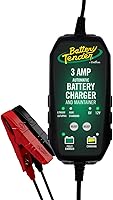
NOCO Genius10 Review: Worth It? (October 2026)
The NOCO Genius 10 suits drivers who recharge larger batteries and maintain stored vehicles with one charger. Choose it when your battery allows its charging output; the Genius5 is enough for lighter charging needs.
On this page (10 sections)
- The NOCO Genius 10 at a glance
- Which batteries can the Genius10 charge?
- How do you choose the right charging output?
- How do the charging and recovery features help?
- How should you set up the Genius10?
- How does the Genius10 compare with the Genius5?
- When does the CTEK MXS 5.0 make more sense?
- Can you leave the Genius10 connected during storage?
- Which mistakes should you avoid?
- Should you choose the NOCO Genius 10?
The NOCO Genius 10 is a strong choice for recharging compatible vehicle batteries and maintaining them during storage. Its main advantage over the Genius5 is more charging output, which matters when you regularly recharge larger batteries rather than simply keep a parked vehicle ready.
Buy it for a garage with different battery needs, provided each battery allows the charger's output. If your main job is maintaining one healthy battery between drives, the smaller Genius5 may cover your routine.
The NOCO Genius 10 at a glance
The Genius10 combines 10A charging and monitored maintenance for compatible 6V and 12V lead-acid and LiFePO4 batteries. It makes the most sense when you need both jobs from one device.
NOCO Genius10: Best for multi-vehicle garages

- 10A output
- 6V and 12V batteries
- Lead-acid and LiFePO4 compatibility
- Thermal sensor and Force Mode
A charger and maintainer for garages with different compatible vehicle batteries. Choose it for regular recharging as well as storage care, after checking your battery's allowed charging current.
Pros
- Higher charging output for batteries that allow it
- Supports several vehicle battery types
- Temperature-adjusted charging
- Includes clamps and eyelet terminals
- NOCO backs it with a three-year limited warranty
Cons
- More output than storage-only users may need
- One charging port
- Force Mode needs careful manual use
It includes a 72-inch AC cable, an 80-inch DC cable, battery clamps with integrated eyelet terminals, a mounting bracket and screws. NOCO backs it with a three-year limited warranty.
Those connection options serve different routines: clamps suit a charger you move between vehicles, while eyelets can suit repeat connections to the same battery. Check the planned cable route before choosing where to mount or place the charger.
Who should buy the NOCO Genius 10?
Choose the Genius10 if you regularly recharge a compatible car, truck, boat or deep-cycle battery and want maintenance charging afterward. Its broader battery support also suits a garage where the charger moves between different vehicles.
It has one charging port, so those vehicles take turns. Owners who want several stored batteries maintained at once need a different setup rather than assuming one charger can cover them together.
Who should skip it?
Skip the Genius10 if your battery's recommended charging current is below what the selected mode delivers. A vehicle category alone cannot confirm the right charger, especially for small motorcycle and lawn equipment batteries.
Storage-only users should also consider the Genius5 first. Extra charging output offers less benefit when the battery is already charged and the main task is replacing small storage losses.
Which batteries can the Genius10 charge?
Choose by battery voltage, chemistry and allowed charging current, in that order. The Genius10 supports AGM, gel, SLA, VRLA, flooded and maintenance-free lead-acid batteries, plus compatible LiFePO4 batteries.
NOCO gives it a battery capacity range up to 230Ah. Capacity describes how much energy a battery can hold; it does not tell you the correct charging mode or prove that a particular current is suitable.
Read the battery label before relying on the vehicle badge. Two similar vehicles can use batteries that need different charging settings, particularly after a battery replacement or lithium conversion.
A LiFePO4 battery needs the appropriate lithium mode and must meet the battery maker's charging instructions. Do not select a lead-acid recovery mode for lithium or assume support for other lithium chemistries.
Also check the battery's actual system voltage before connecting to a boat, RV or battery bank. A group of batteries can form a higher-voltage system even when each individual battery looks familiar.
Our guide to battery maintainers and chargers for cars, trucks and boats explains how these tools fit different vehicles and storage routines.
How do you choose the right charging output?
Choose an output your battery permits, then consider how much charge you need to replace and how long you can wait. More available current can help with a larger depleted battery, but it is not a reason to exceed the battery maker's limit.
Look for charging guidance in the battery manual, including any limits tied to temperature or chemistry. If the instructions give a rate based on amp-hours, use the battery's labeled capacity rather than guessing from its physical size.
As a rough planning example, replacing 40Ah at a steady 10A would take 4 hours before losses and the slower final charging stage. Real charging takes longer because a smart charger does not deliver its maximum current throughout the whole cycle.
That means twice the maximum output does not promise half the total charge time. Battery condition, starting charge level, temperature and the final charging stage all affect the result.
For a closer match between capacity and current, read what size battery charger you need. It is a better starting point than choosing solely by the words car, truck or marine.
How do the charging and recovery features help?
The Genius10's automatic charging features help manage normal charging, while its recovery options address some deeply discharged batteries. Recovery is a possible outcome, not a reason to keep charging a damaged battery.
Its integrated thermal sensor adjusts charging based on ambient temperature. NOCO says this helps prevent overcharging in hot weather and undercharging in cold weather, but it does not replace the temperature limits in the manuals.
NOCO also says its pulse charging can address sulfation and acid stratification. Treat restoration as a battery-dependent benefit, since internal damage and normal wear cannot always be reversed.
The charger can begin charging from 1V, with Force Mode available for manual charging down to zero volts. Before using that mode, establish the battery's identity and condition and read the full procedure.
A very low voltage reading does not explain why a battery went flat. If it repeatedly loses charge, investigate the battery, vehicle charging system or electrical drain instead of relying on recovery each time.
How should you set up the Genius10?
Start with a sound battery, the correct mode and secure connections. Follow the charger and vehicle manuals for the connection points and sequence, since some vehicles use designated charging terminals away from the battery.
- Identify the battery. Confirm its voltage, chemistry, capacity and charging limits before selecting a mode.
- Inspect the battery and cables. Do not charge a frozen, leaking, cracked or swollen battery, and replace damaged leads before use.
- Choose a suitable location. Keep the charger on a stable surface with ventilation and follow its limits for moisture and temperature.
- Connect as instructed. Use the specified battery or vehicle charging points, keeping clamps clear of moving parts and other metal.
- Route the leads safely. Avoid belts, fans, hot exhaust parts, sharp edges and places where a hood or door could pinch a cable.
- Select and confirm the mode. Check the indicators against the manual, then revisit the setup during the first charge.
Do not improvise a universal clamp order from memory. The correct procedure can depend on whether the battery is installed, how the vehicle is grounded and where its charging points sit.
Eyelet terminals can make repeat connections easier, but their installation still needs the correct hardware and cable route. Keep the connector protected as directed and positioned where it cannot reach moving or hot parts.
For general connection guidance, read how to hook up a battery tender. Use that overview alongside the instructions for this charger and your vehicle.
How does the Genius10 compare with the Genius5?
Choose the Genius10 for larger recharge jobs, and the Genius5 when its output covers your battery and schedule. The Genius5 delivers 5A and supports batteries up to 120Ah.
Both NOCO models have temperature adjustment, Force Mode and maintenance charging. Buying the larger model mainly changes charging capacity and output rather than giving storage-only users a different purpose.
The Genius5 weighs 1.6 pounds, compared with 4 pounds for the Genius10. That difference matters if you often carry the charger between a garage, shed and parked vehicle.
Choose the Genius5 for occasional top-ups when a longer charging window is acceptable. Skip it if its capacity range or charging pace does not fit the batteries you need to recharge.
See our full NOCO Genius5 vs Genius10 comparison for the side-by-side choice. Our NOCO Genius5 review covers the smaller charger on its own.
When does the CTEK MXS 5.0 make more sense?
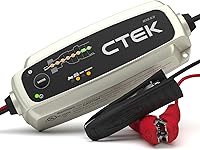
Choose the CTEK MXS 5.0 when 12V lead-acid and AGM charging covers your garage, especially for a car that spends long periods parked. It provides 4.3A output, eight-step automatic charging and float/pulse maintenance.
CTEK says its maintenance approach allows connection for months at a time. It also has a reconditioning function, though recovery still depends on the battery's condition.
Its IP65 protection is useful where dust and splashes are concerns. That does not make placement irrelevant, so follow CTEK's instructions and keep electrical connections appropriately protected.
Skip the CTEK if you need 6V charging or LiFePO4 support. The Genius10 is also the stronger fit when your compatible battery permits higher current and regular recharging is the main job.
Read our CTEK MXS 5.0 review for its charging approach. Our NOCO Genius vs CTEK guide covers the broader brand choice.
Can you leave the Genius10 connected during storage?
Yes, NOCO says the Genius10 can remain connected indefinitely for maintenance on a compatible battery. Prepare the setup carefully and keep checking it during storage.
Begin with a normal charge cycle and confirm that the charger reaches the expected maintenance state. An unresolved error or a battery that never completes charging needs attention before you leave the vehicle parked.
Inspect the leads for pinching, abrasion and loose connections, especially after moving the vehicle or opening the hood. Keep the charger and cables away from storage items that could fall onto them or block ventilation.
Unplug AC power before disconnecting or moving the setup, following the manual's sequence. When storing the charger itself, coil the leads loosely and avoid pulling on cables to remove a clamp or connector.
Our guide to leaving a battery tender on all the time explains what to check before relying on long-term maintenance.
Which mistakes should you avoid?
Avoid choosing by vehicle type alone or using a recovery mode as a shortcut. The battery's instructions matter more than a broad compatibility claim.
- Choosing AGM because the battery is sealed. A sealed case does not identify its chemistry; read the label.
- Assuming every lithium battery is compatible. Confirm LiFePO4 chemistry and the battery maker's charging requirements.
- Expecting an engine start from the charger. Charging a battery takes time; plan this as a recharge job rather than an instant roadside start.
- Using recovery to ignore a recurring fault. Repeated discharge needs a cause, such as storage drain or a failing battery.
- Leaving vehicle loads running. Lights and accessories consume energy while the charger is trying to restore it.
- Treating a completed charge as proof of battery health. A worn battery may still struggle to hold charge or start an engine.
If charging takes longer than expected, check the selected mode, battery capacity and active electrical loads before blaming the charger. Our guide to how long it takes to charge a car battery explains why a single fixed time is rarely useful.
Should you choose the NOCO Genius 10?
Choose the NOCO Genius 10 for regular recharging across compatible vehicle batteries, especially when the smaller model would leave you waiting too long. Confirm the battery's allowed charging current before making that choice.
Pick the Genius5 for occasional charging and maintenance when its capacity range meets your needs. Choose the CTEK MXS 5.0 for a garage centered on 12V lead-acid or AGM batteries and long storage periods.
Before ordering, write down your battery's chemistry, voltage and capacity, plus how often it needs a real recharge. If maintenance is the main job, compare the best battery maintainer options before buying more charging output than your routine needs.
Frequently asked questions
Can the NOCO Genius10 charge a dead battery?
The NOCO Genius10 can start charging from 1V, with Force Mode available for manual charging down to zero volts. Recovery still depends on battery condition, so inspect it first and follow both manuals; a cracked, leaking, swollen or frozen battery should not be charged.
Which batteries work with the NOCO Genius10?
The NOCO Genius10 supports 6V and 12V lead-acid batteries, including AGM, gel and flooded types, plus compatible LiFePO4 batteries. Match the battery's voltage, chemistry and allowed charging current to the correct charger mode before connecting it, and don't treat a generic lithium label as proof of compatibility.
Can the Genius10 stay connected for maintenance?
NOCO says the Genius10 can remain connected indefinitely while it monitors and maintains a compatible battery. Set it up according to the charger, battery and vehicle instructions, then inspect the connections, cable condition and battery at suitable intervals during storage rather than leaving the whole setup unchecked.
How is the NOCO Genius10 different from the Genius5?
The Genius10 has twice the maximum charging output and supports batteries up to 230Ah, compared with 120Ah for the Genius5. Both offer maintenance charging, temperature adjustment and Force Mode, so battery size and recharge needs should drive the choice.
Read our Genius5 vs Genius10 guide for a closer comparison.