How to Charge a Car Battery
Here's how to charge a car battery: match the charger to its voltage and chemistry, connect it while unplugged, select an approved charge rate, and follow its completion indicator. Never charge a damaged, leaking, frozen, or unusually hot battery.
On this page (10 sections)
- What do you need to charge a car battery?
- How do you connect a car battery charger?
- Which charger should you choose for your battery?
- Which settings and modes should you use?
- How long should a car battery charge?
- Can you charge the battery while it's in the car?
- What mistakes should you avoid while charging?
- How do you charge an AGM car battery?
- What should you do after charging?
- Which charger fits how you'll charge a car battery?
To learn how to charge a car battery safely, match the charger to the battery's voltage and chemistry, connect it while unplugged, and choose an approved charge rate. Let the charger's completion indicator guide you, rather than guessing from elapsed time.
A charger restores charge to a serviceable battery; it cannot fix worn cells or a vehicle fault that keeps draining it. Check the battery label and read the vehicle and charger instructions before starting.
What do you need to charge a car battery?
You need a compatible charger, eye protection, protective gloves, and a ventilated work area. Check the battery for damage before bringing the charger over.
Don't charge a cracked, leaking, swollen, frozen, or unusually hot battery. A deeply discharged lead-acid battery can freeze in cold weather, so don't assume an intact case means it's ready to charge.
Most passenger cars use a 12V battery, but confirm the label. Identify whether it's flooded lead-acid, AGM, gel, or another chemistry, since the wrong charging profile can damage it.
Remove metal jewelry and keep flames, cigarettes, and sparks away. Place the charger on a stable surface away from the battery, as its manual directs, and keep its ventilation openings clear.
Check cables and clamps for damaged insulation or loose parts. Use a suitable outlet and keep the charger dry unless its instructions explicitly allow the conditions where you're working.
How do you connect a car battery charger?
Connect the clamps with the charger switched off and unplugged, using the points specified by the vehicle and charger manuals. The sequence depends on the vehicle's grounding arrangement and whether the battery is installed.
For a typical negative-ground car, the usual sequence is positive first, then the specified chassis or engine ground away from the battery. Follow the vehicle's directions if it has remote charging terminals or a designated ground point.
Don't clamp to fuel lines, thin sheet metal, or moving parts. Route cables clear of belts and fans, since some electric fans can start with the ignition off.
Check that the clamps grip firmly and cannot touch each other. Then select settings and connect AC power in the order your charger requires.
If the battery has been removed, keep it upright and follow the charger's out-of-vehicle connection procedure. Some chargers require an additional connection cable to keep the final connection away from the battery.
For more on connection points, see how to hook up a battery tender.
How to charge a car battery in the right order
Inspect, connect, select, charge, and disconnect in that order, with the manuals deciding the exact details. This checklist helps you avoid changing connections while power is on.
- Turn off the vehicle and accessories, then inspect the battery.
- With the charger unplugged, attach clamps at the approved points.
- Match voltage, chemistry, and current to the battery's requirements.
- Start charging and check that the charger indicates normal operation.
- At completion, switch off and unplug before removing clamps in the instructed order.
Which charger should you choose for your battery?
Choose compatibility first, then charge rate and controls. A higher maximum output only helps when your battery can safely accept it.
Battery capacity is commonly shown in amp-hours, or Ah; cold cranking amps describe starting ability and aren't a charging-current recommendation. Use the battery maker's allowed charge rate rather than choosing the highest setting available.
For help matching output to capacity and available charging time, see what size battery charger you need.
Schumacher SC1280: for mixed-voltage garages
The Schumacher SC1280 suits a garage with both 6V and 12V lead-acid batteries. It supports standard, AGM, gel, and deep-cycle batteries, with automatic voltage detection.
Its automatic, multi-stage operation makes sense for drivers who want charging and maintenance in one unit. Check the detected voltage before proceeding; automation doesn't replace knowing which battery you're connecting.
Skip it for lithium batteries or if you specifically want user-selectable intermediate charge rates and an LCD. Don't select desulfation simply because a battery is low, especially while it's connected to vehicle electronics.
Battery Tender 15A: for drivers who want visible settings
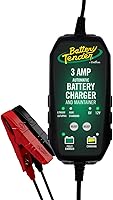
The Battery Tender 15A suits drivers who want to choose a charge rate and see the selected settings. Its LCD also shows charge percentage and error messages.
It supports standard lead-acid, AGM, gel, and LiFePO4 batteries, and automatically switches to float maintenance after charging. Battery Tender backs it with a 5-year manufacturer warranty.
Skip it if you need to charge a 6V battery. For lithium use, confirm that your battery is LiFePO4 and follow its charging instructions; lithium chemistries aren't interchangeable.
Clore PL2310: for lead-acid charging and workshop tasks
The Clore PL2310 suits drivers who want several current choices plus a separate power supply mode. Its lead-acid coverage includes flooded, AGM, gel, spiral-wound, marine, and deep-cycle batteries.
Automatic multi-phase charging and temperature compensation are useful for routine charging and maintenance. Its power supply mode supports separate workshop tasks, but it isn't the mode to select for an ordinary recharge.
Skip it if you need lithium support or a higher maximum charging output. Use power supply mode only for a procedure that calls for it and within the charger's instructions.
Which settings and modes should you use?
Match voltage and chemistry, then select an allowed current rate. Choose normal charging for a routine recharge, rather than repair, desulfation, or power supply mode.
A small battery may need a lower current than a large car battery. A low setting can also mean a much longer wait, so match the rate to both battery limits and your available time.
Repair modes can use a different charging routine from normal operation. Use one only when the battery, charger, and vehicle instructions permit it; don't treat repeated repair cycles as a cure for a failing battery.
For storage, understand the difference between a battery maintainer and a battery charger. Maintenance holds a charged battery ready, while recharging replaces a larger amount of lost energy.
How long should a car battery charge?
Charge until the charger indicates completion, within its operating instructions. Battery capacity, missing charge, temperature, and condition all affect the time.
As a rough planning example, replacing 30 Ah at a steady 6A would take 5 hours before allowing for losses and reduced current near full charge. Actual charging takes longer because output doesn't stay constant throughout the cycle.
Don't use that calculation as a timer or promise. A charger that repeatedly faults or makes no progress needs investigation, not an unlimited extension.
Our guide to how long it takes to charge a car battery explains the main timing factors. For extended storage, consider a battery maintainer for cars, trucks, and boats matched to your battery.
Can you charge the battery while it's in the car?
Often, yes, when the vehicle manual allows it. Use its designated charging points, which may differ from the battery posts.
Some vehicles monitor battery current through a sensor on the negative cable. An approved ground point helps keep charging within the intended electrical path.
If removal is required, follow the vehicle's disconnection procedure and any instructions for stored settings. Keep the battery upright and never lift it by its terminals.
What mistakes should you avoid while charging?
Avoid wrong modes, live clamp changes, and repeated attempts to force a faulty battery to charge. Check the charger after starting so you can spot an error or abnormal heat.
If a warning appears, switch off and unplug before inspecting polarity, clamp contact, and settings. Don't wiggle powered clamps to clear an error.
A charger that cannot detect a deeply discharged battery may be refusing it for a reason. Don't bypass detection or improvise a recovery method; follow the manual or have the battery assessed.
Stop charging if the case swells, the battery becomes unusually hot, or you notice leaking or a strong abnormal odor. Keep ignition sources away and get qualified help before handling it further.
How do you charge an AGM car battery?
Use explicit AGM support and follow the battery's charging limits. Select AGM mode when required, rather than assuming every lead-acid setting is suitable.
AGM batteries don't need water added, so don't open their sealed covers. Temperature limits still matter, even with an automatic charger.
Read whether you can charge an AGM battery with a regular charger if you're deciding whether your current charger is suitable.
What should you do after charging?
Switch off, unplug, and remove clamps in the prescribed order. For a typical installed negative-ground setup, that usually means removing the ground connection before the positive clamp.
Clear tools and cables before starting the car. If starting remains weak or the battery soon loses charge again, have the battery and vehicle's charging system checked for faults or an electrical drain.
Store the charger dry, wipe its exterior as directed, and inspect the leads before the next use. For ongoing storage care, learn how to use a battery tender rather than repeatedly letting the battery run low.
Which charger fits how you'll charge a car battery?
Choose the Schumacher for mixed-voltage lead-acid use, the Battery Tender for visible settings and selectable rates, or the Clore for lead-acid charging plus workshop power supply tasks. Confirm compatibility before letting extra features decide.
Knowing how to charge a car battery also means choosing maintenance when the car will sit unused. For your next step, see how to winterize a car for storage and plan battery care before it goes flat.
Frequently asked questions
Can I charge a car battery without removing it?
Often, yes, if the vehicle and charger manuals allow it. Turn off the ignition and accessories, then use the specified charging points.
Some cars have a battery sensor or remote terminals, so connecting directly to both battery posts may bypass the intended charging path.
How long does it take to charge a car battery?
A partly discharged battery may need several hours, while a deeply depleted one can take much longer. Capacity, charge rate, temperature, and battery condition all affect the time.
Charging also slows near full charge, so use the charger's completion signal rather than stopping after a fixed number of hours.
Can I charge an AGM car battery with a regular charger?
Yes, if that charger explicitly supports AGM batteries and meets the battery maker's charging limits. A separate AGM button isn't always necessary, but compatible voltage control is.
Don't assume that a charger suitable for flooded batteries also suits AGM, and avoid repair modes unless the battery instructions allow them.
Should I disconnect the negative terminal before charging?
Only if the vehicle instructions require disconnecting the battery. Many vehicles allow charging in place through designated positive and ground points.
If removal is required, follow the vehicle's terminal removal and reconnection order, including any precautions for alarms, stored settings, or battery management systems.